One app for both sides of recovery.
Cold plunge and sauna sessions. On Strava.
Track the time and temperature. Build your streak. Put each session where your workouts already live.
Download on theApp StoreWorks with Strava and Apple Health

Your sauna belongs on your Strava feed.
Strava has no sauna, cold plunge, or ice bath activity type. Degree Daddy logs the session, then posts it as a Workout activity with the details in the name.
Cold Plunge - 2:45 at 42°F
Sauna - 18:00 at 180°F
Connect once. Push a session with one tap. Save your session card and attach it as the activity photo in Strava.
How to log a sauna on Strava · Sauna app with Strava sync · Log a cold plunge on Strava
See how Strava sync worksSauna, down to the degree.
Start the timer, then log the temperature and how you felt. Choose dry, steam, or infrared so your history reflects the session you actually did.
Time · Temperature · Sauna type
Cold plunge, session by session.
Time your plunge, record the water temperature, and see your current and best streaks. Every session stays in your history.
Time · Temperature · Streaks
Explore the cold plunge app · Track an ice bath · Cold plunge tracker features
Start. Log. Post.
- 01
Start a session
Choose cold plunge or sauna and start the timer.
- 02
Log the details
Save the time, temperature, rating, and location.
- 03
Put it on Strava
Push the session as an activity. Apple Health gets a workout when connected.
No Degree Daddy account required. Sessions save on your device and can sync across your Apple devices with iCloud.
At home in your Apple setup.
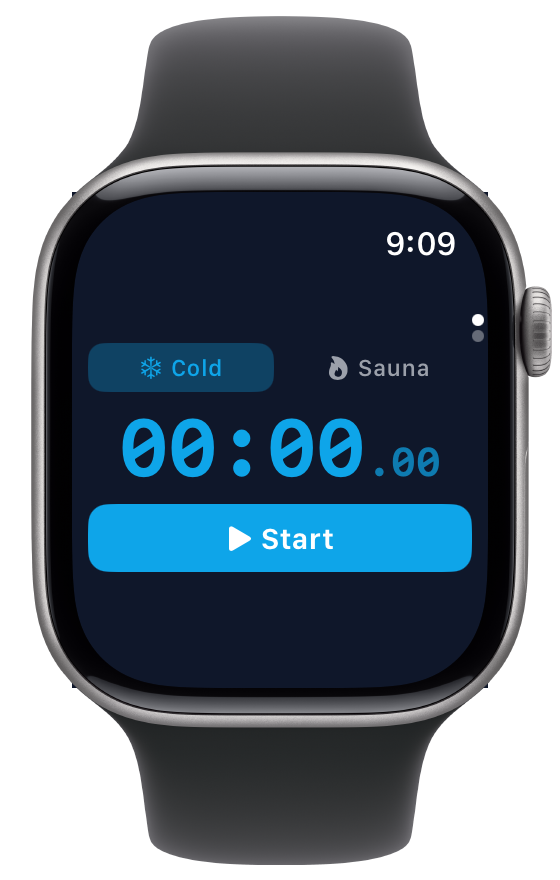
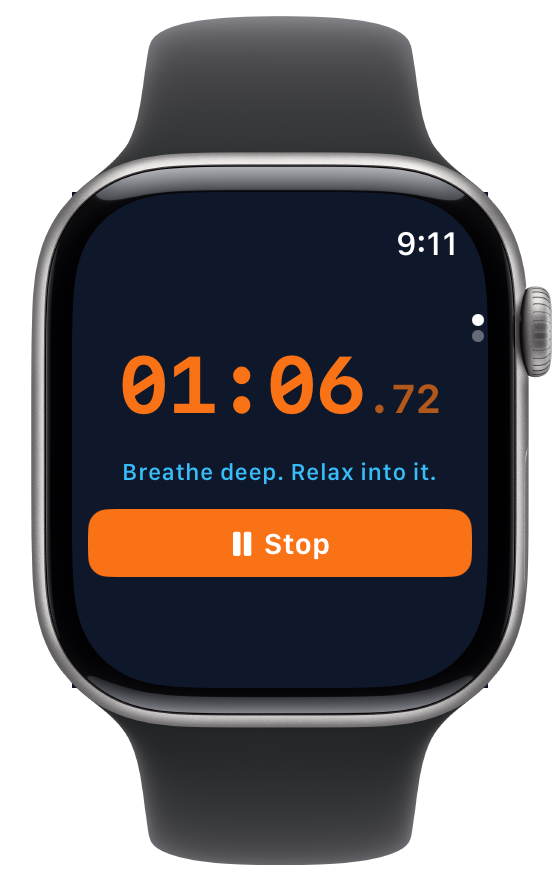
Connect Apple Health to write your cold plunge and sauna sessions as workouts. The Apple Watch app starts and stops sessions from your wrist. On iPad, the large timer is easy to read across the room.
Common questions
Is there a cold plunge tracking app?
Degree Daddy is a cold plunge tracking app for iPhone and iPad. It has a session timer, temperature logging in °F and °C, streak tracking, and syncs to Apple Health and Strava. Free during beta.
Is there a sauna tracking app?
Degree Daddy tracks both sauna and cold plunge sessions. Log your sauna time, temperature, type (dry, steam, or infrared), location, and a personal rating. Sessions sync to Apple Health as workouts and can be posted to Strava. Works on iPhone and iPad.
Can I log cold plunge or sauna sessions to Strava?
Yes. Connect your Strava account in the app and push sessions to Strava with one tap. Each activity includes your time and temperature. You can save a branded session card and attach it as a photo in Strava.
Does it work on Apple Watch?
Yes. The Apple Watch app starts and stops sessions from your wrist and transfers them to the iPhone.
Does it work on iPad?
Yes. Degree Daddy is a universal app that runs natively on iPad with a sidebar navigation layout optimized for larger screens. All fonts and UI elements scale up for comfortable use. Your iPhone and iPad data can sync via iCloud.
Does it sync to Apple Health?
When Apple Health is connected, cold plunge and sauna sessions are written as workouts. Any app or device that reads HealthKit data — Whoop, Oura, Garmin — will pick up your sessions automatically.
Is my data private?
Sessions live on your device and can sync via your iCloud account. Degree Daddy has no user accounts or session database. Strava and Apple Health connections are opt-in; the app collects anonymous usage analytics.
Is Degree Daddy free?
Degree Daddy is currently in beta and free for all users. No subscriptions, no ads, no in-app purchases. Download it now and get full access to every feature.
Does it work offline?
Yes. The timer, logging, and full session history all work offline. Data is stored locally on your device. When you’re back online, iCloud syncs your sessions across devices automatically.
Does the timer keep running when my phone locks?
Yes. The timer keeps counting when the phone locks or the app closes. The Lock Screen and Dynamic Island show the running timer.
Will it alert me when my time is up?
Yes, if you want it to. Turn on the Safety Check Alarm for cold plunge, sauna, or both in Settings and pick the minutes. It goes off when that time has passed, even with the phone locked, and it cancels itself when you stop or finish the session. It does not contact emergency services.
Can I track my cold plunge streak?
Yes. Degree Daddy tracks your current streak and longest streak for both cold plunge and sauna sessions. It includes grace days so your streak survives rest days. You’ll see your streak displayed on the home screen.
Does it support Fahrenheit and Celsius?
Yes. Toggle between °F and °C in settings. All temperatures throughout the app — the slider, session history, share cards — update to your preferred unit instantly.
Can I share my sessions on social media?
After every session, Degree Daddy generates a branded share card with your time, temperature, and session details. Share it directly to Instagram Stories, iMessage, or any app via the iOS share sheet.
Can I tag the venue or location of my session?
Yes. Degree Daddy uses your location to suggest nearby venues like gyms, spas, and wellness centers. Pick a venue when logging your session, or skip it for home sessions. Venues appear on your session history and share cards.
Does it work with Whoop, Oura, or Garmin?
Yes. When Apple Health is connected, Degree Daddy writes sessions as workouts. Whoop, Oura, Garmin, and any other device or app that reads from Apple Health will automatically pick up your cold plunge and sauna sessions. Check that your other app reads Apple Health workouts.
How long should I cold plunge?
Most beginners start with 1–2 minutes and work up to 3–5 minutes over time. Research suggests 11 minutes per week total (spread across multiple sessions) delivers significant benefits. Degree Daddy’s timer tracks your duration so you can build up gradually and see your progress over time.
What temperature should a cold plunge be?
Most cold plunge practitioners aim for 38–55°F (3–13°C). Beginners often start around 55°F and work down over time. Degree Daddy lets you log the exact temperature of every session so you can track your cold tolerance progression.
What temperature should a sauna be?
Traditional saunas typically range from 150–195°F (65–90°C), while infrared saunas run cooler at 120–150°F (49–65°C). Degree Daddy supports temperatures up to 220°F so you can log any type of sauna session.
Is there an Android version?
Degree Daddy is currently available on iPhone, iPad, and Apple Watch. There is no Android version at this time.
Cold plunge. Sauna. One place for both.
Make the session count.
Download on theApp StoreFree during beta. No subscriptions or ads.